See my sessions today
Find the sessions you coach today and this week in the back-office.
The gérant assigns you to the sessions you coach, one by one. The back-office has no separate "my sessions" view: you find yours by the coach name shown on each session.
Today, on the dashboard
- Open the Dashboard.
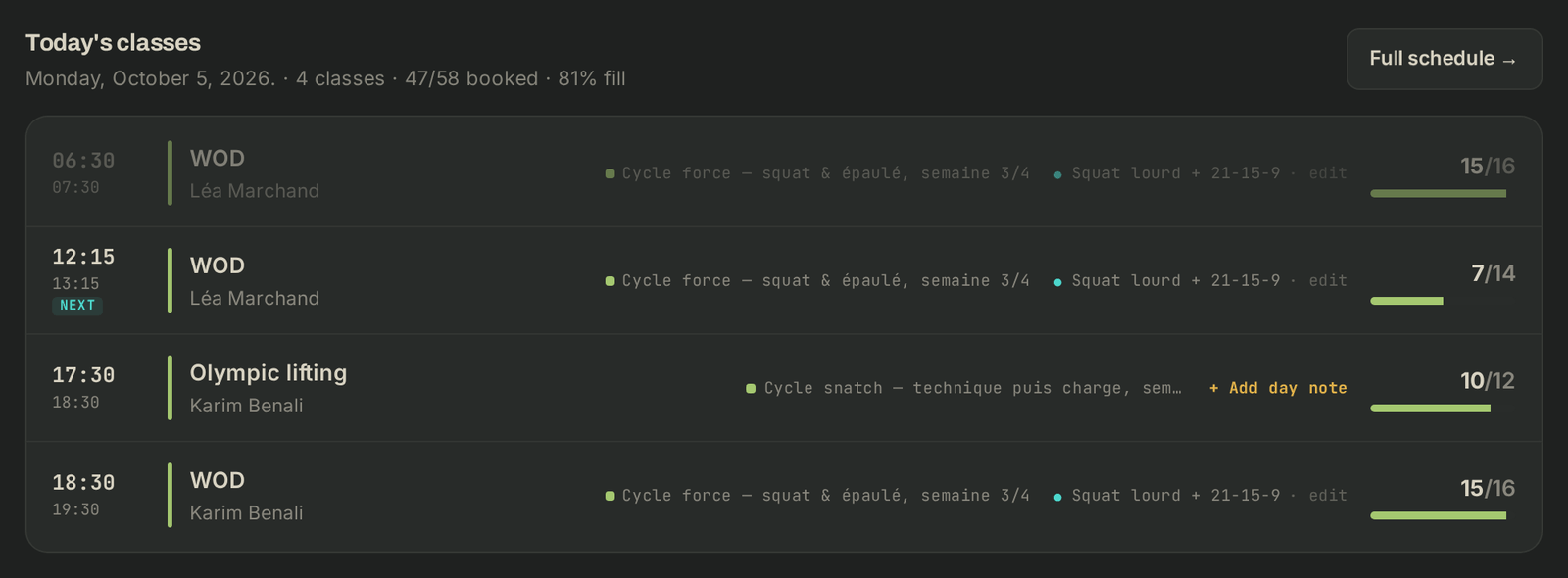
- The Today's classes card lists the day's sessions in order, with the coach or coaches of each, how full it is and the WOD. The session running now is tagged NOW, the next one NEXT.
- Click a session to open its Class roster.: you see who is booked, the waitlist and, under COACHES, who is coaching.
- The Needs attention card flags today's sessions that need a look, for example No WOD or Coach conflict.
The week, on the schedule
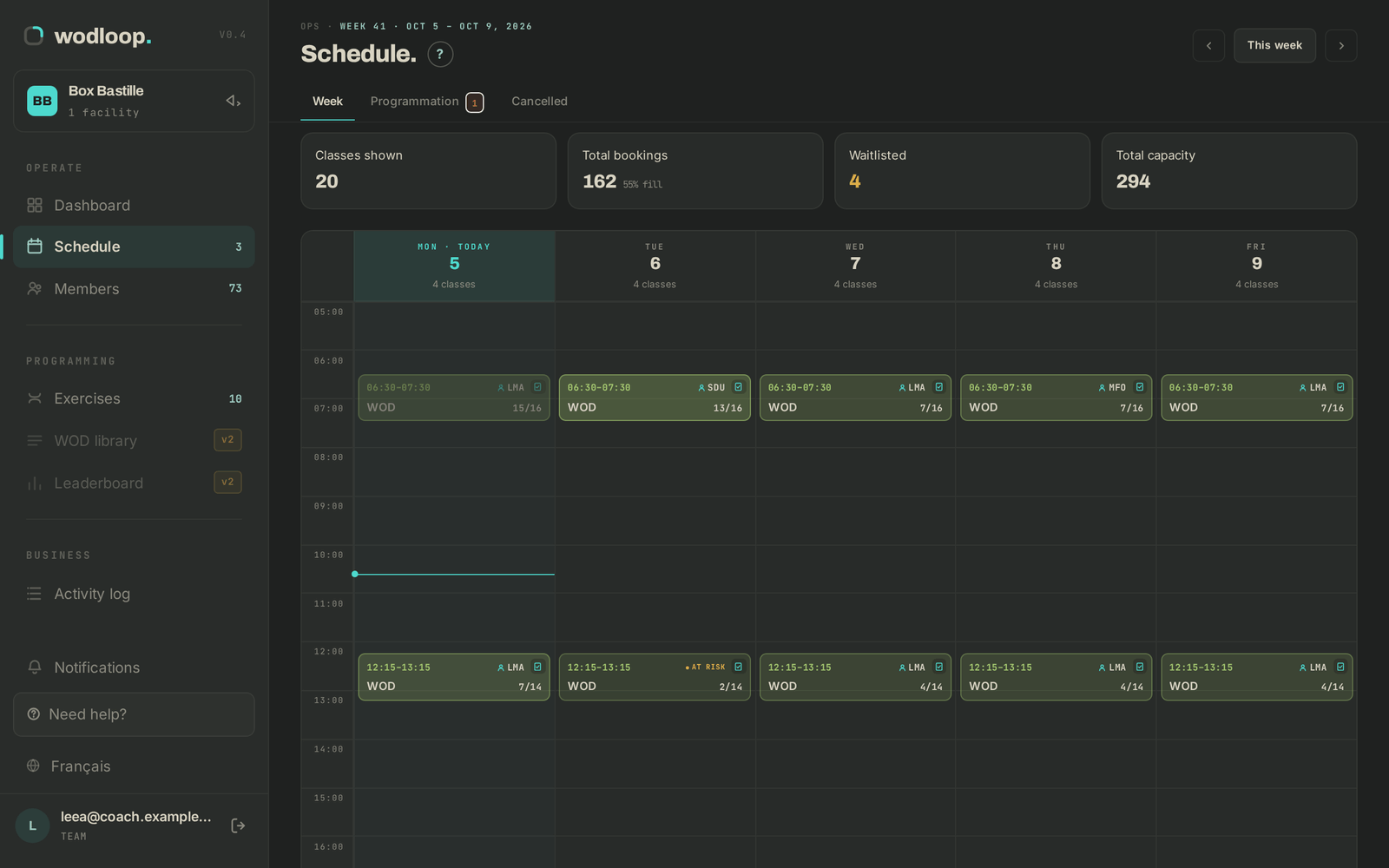
- Open Schedule: the Week tab shows the grid of sessions.
- Hover a session to see "Coach:" followed by the names. ⚠ COACH flags a coach conflict on that session.
- Use Full schedule → on the dashboard to get there directly.
Getting notified
When the gérant puts you on a session or takes you off it, you get an email and a notification in the Wodloop app, for upcoming sessions. You're also told if a session you coach is cancelled for low attendance.
If it goes wrong
- A session that should be yours doesn't show your name: ask the gérant to assign you. With "Coach" access, you can't assign yourself.
- A box is missing from the facility switcher: ask the gérant to add it to your access.
- A bug: write to Wodloop support, support@wodloop.com.