Take attendance in a class
Mark who came and who didn't on a session's roster.
Attendance is taken on the session's page. It counts toward members' no-shows and the box's tracking, so make a habit of doing it every session.
Taking attendance
- Open the session from Today's classes on the Dashboard, or from the Schedule grid.
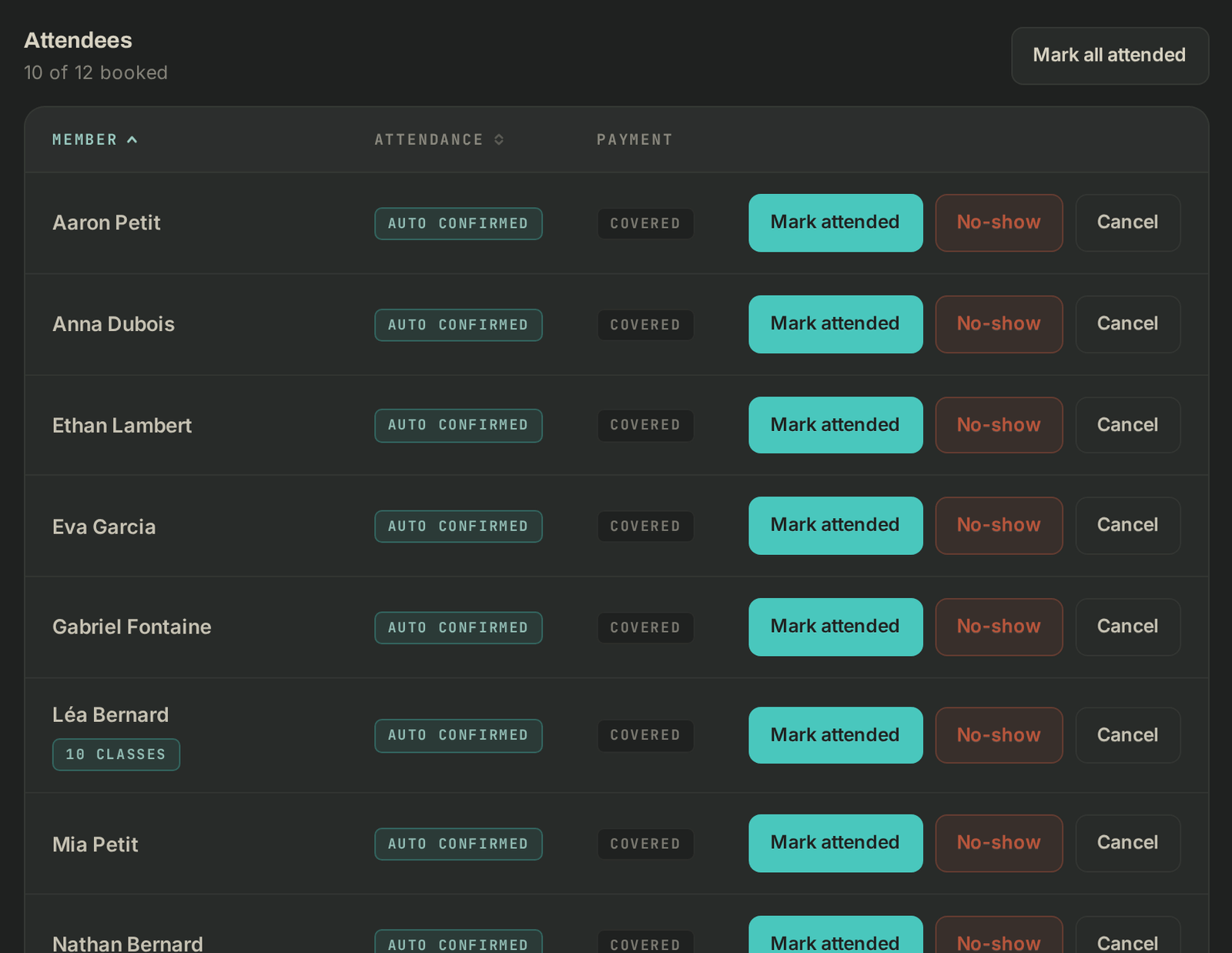
- Under Attendees, each booked member has their own buttons. Click Mark attended for whoever is there, No-show for whoever didn't come.
- Everyone there? Click Mark all attended, then confirm.
Fixing a mistake
- On a member marked present by mistake, click Mark absent.
- On a member marked absent by mistake, click Mark present.
- Corrections are possible for 7 days after the session. The page says "Attendance can be corrected until" followed by the date, then "Attendance locked since" once that time is up.
With "Coach" access you can also book a member in (Book a member into this class), cancel a booking or Give spot to someone on the waitlist. The details are in the gérant's guide, Take attendance.
If it goes wrong
- The attendance buttons don't show: your access doesn't include attendance, ask the gérant.
- "This absence already triggered the penalty": the block or the charge is handled from the member's page, check with the gérant.
- A bug: write to Wodloop support, support@wodloop.com.