Pay by direct debit
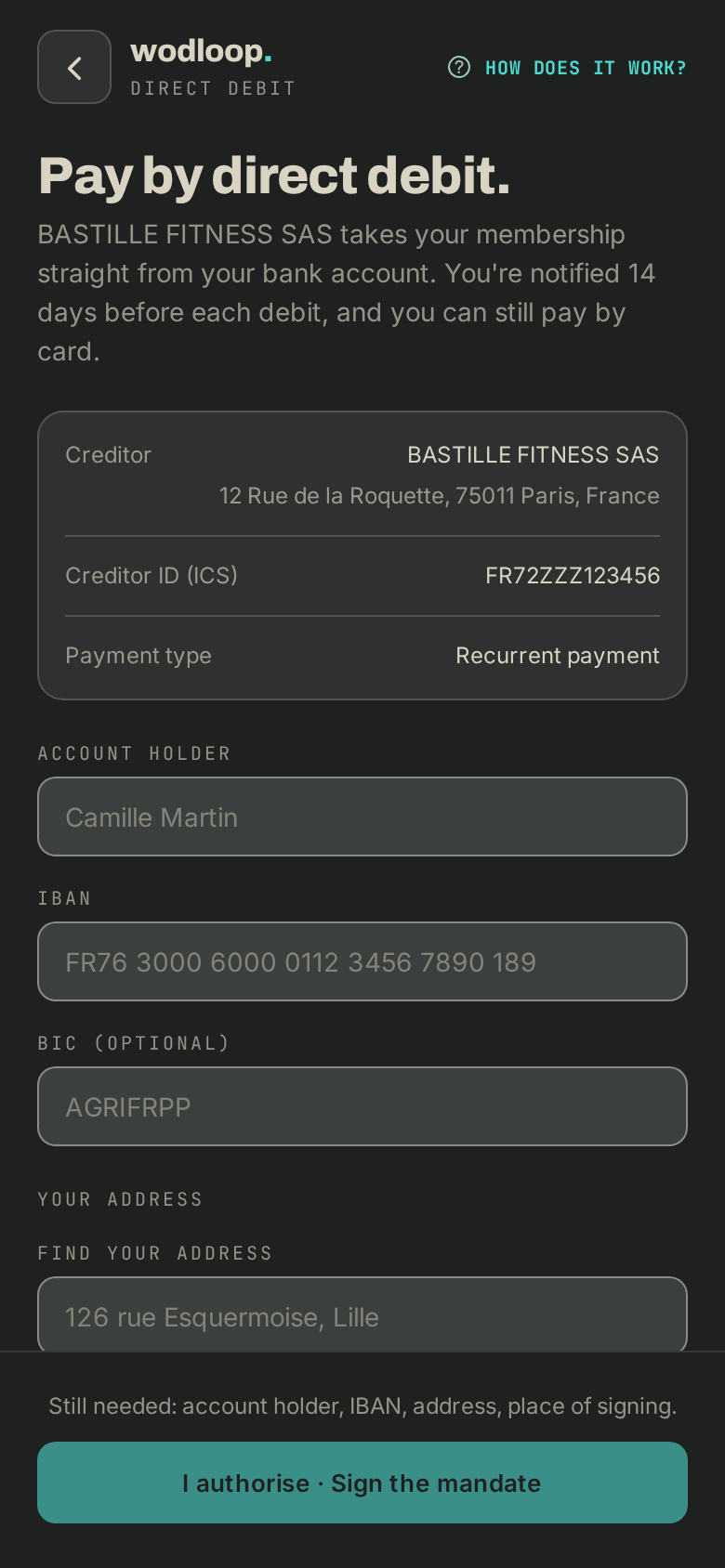
Sign your SEPA direct debit mandate in the app with the code we email you.
If your box collects by SEPA direct debit, your membership is taken straight from your bank account. You're notified a few days before each debit, and you can still pay by card. You need a membership, a pack or a booking at that box.
Sign your mandate
- Go to Profile > Membership, tap your box, then the Pay by direct debit row. If it isn't there, your box doesn't collect by direct debit.
- Fill in Account holder, IBAN (and the BIC if asked), your address and the Place of signing. It's all on your bank details slip (RIB).
- Read What you authorise, then tap I authorise · Sign the mandate.
- We email you a 6-digit code. Enter it and tap Confirm my signature. The code works for 10 minutes.
- Direct debit is on. You also get a copy of the signed mandate by email.
Some boxes collect through Stripe: tap Set up direct debit, enter your IBAN on Stripe's secure page that opens, then come back to the app.
Change account or stop
- Change account: signing a new mandate replaces the old one.
- Cancel the mandate (or Cancel the direct debit with Stripe): nothing more is taken from this account. Anything still owed can be paid by card or at the box.
If it goes wrong
- Expired or wrong code: tap Send a new code. After too many requests, wait a while before trying again. No email? Check your spam folder.
- A returned debit, an amount or a debit date: contact your box. Its details are on its page: tap your box's logo at the top of the screen (with several boxes, About this gym), under Contact.
- A problem with the app itself: write to Wodloop support, support@wodloop.com.