Add your members
Create a member from the back-office, give them a plan and invite them to the app.
Your members can sign up on their own in the Wodloop app by finding your box. You can also create them yourself: they then get an email to choose a password and sign in to the app.
Add a member
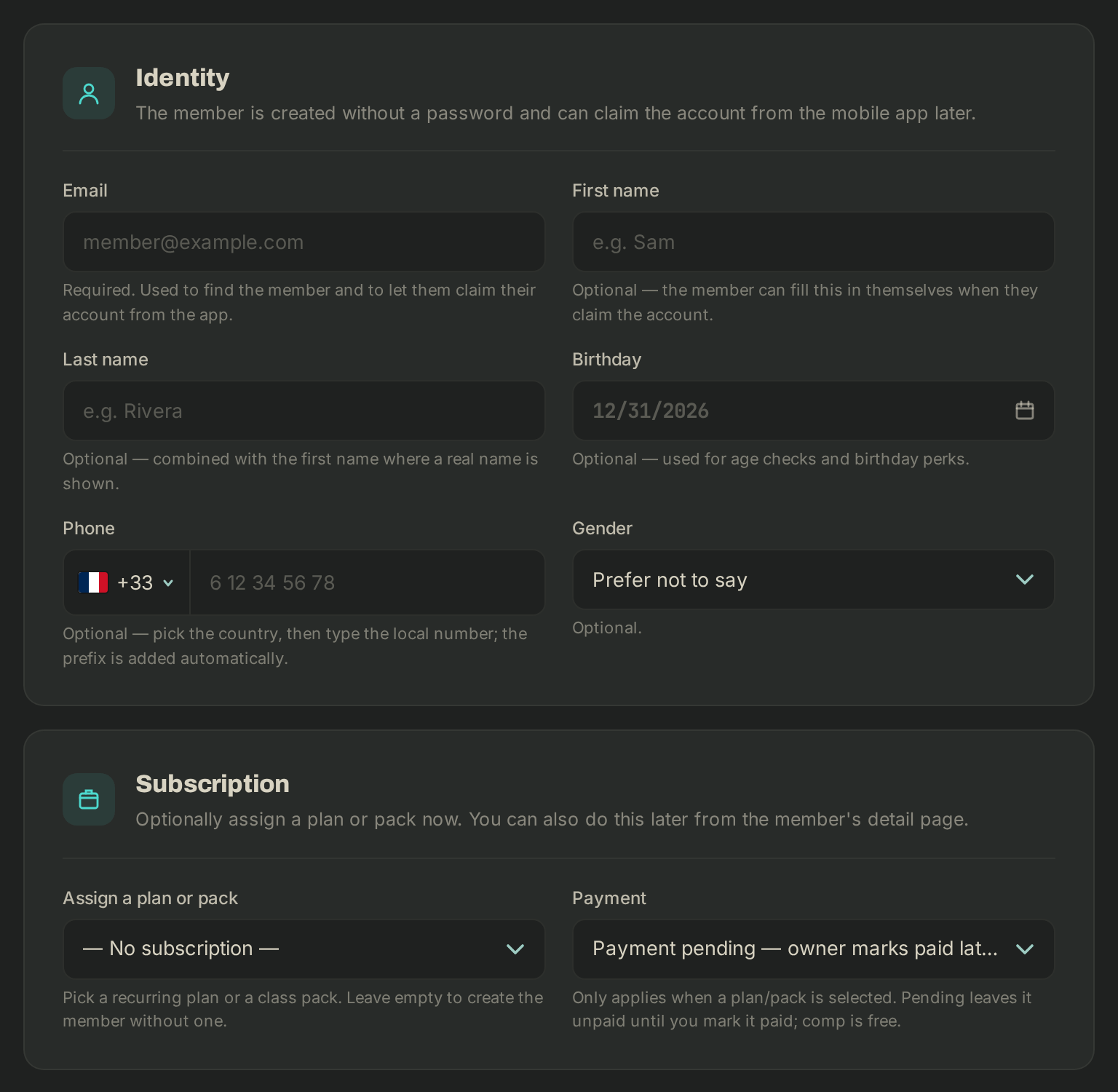
- In the sidebar, open Members, then click New member.
- Identity: the Email is required. First name, last name, birthday, phone and gender are optional: the member can fill them in later.
- Subscription (optional): under Assign a plan or pack, pick a plan or a pack. A Coupon can apply to a plan.
- Payment: Payment pending — owner marks paid later leaves the amount to collect; Comp — free (marked paid) gives it for free.
- Click Add member.
The member gets an invitation email right away. The link, good for 7 days, opens a web page where they choose a password, then they sign in to the app with their email. Until they have done so, the Members list shows a NOT ACTIVATED chip next to their name.
Resend the invitation
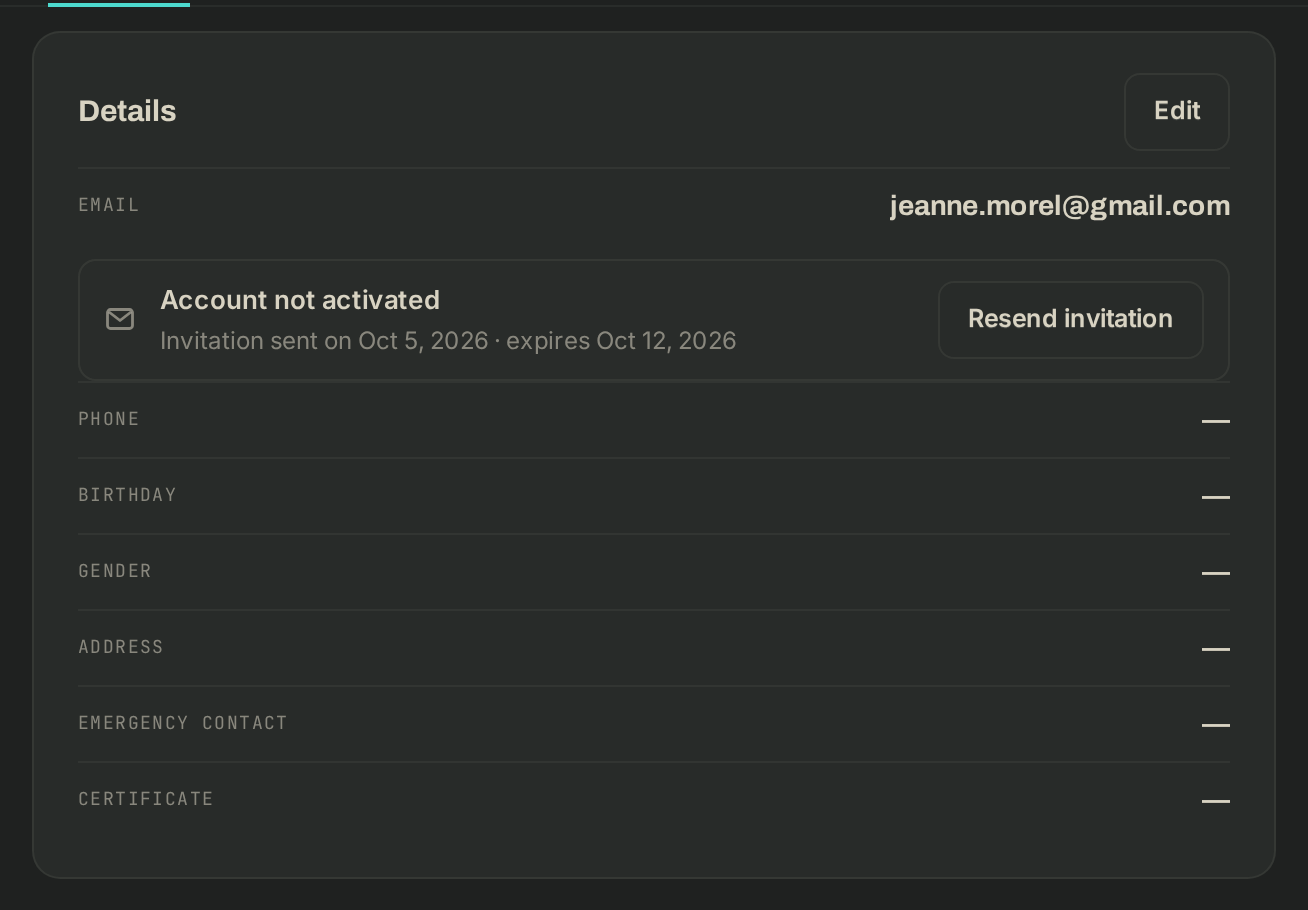
- Open the member's page, Profile tab. Under their email, a line shows where the invitation stands: Invitation sent on … · expires …, Invitation expired (sent on …) or Not invited yet: no password set.
- Click Resend invitation (Send invitation if none is out). The member gets a fresh link and the previous one no longer works.
Later on
- To add a plan or pack to an existing member, open their page, Memberships & packs tab, then Add membership or Add pack.
- What is left to pay is collected as explained in Collect what's owed.
- Switching tools with many members? Wodloop support can import them from a CSV export of your previous tool (email required, current plan or pack optional): write to support@wodloop.com.
If it goes wrong
- "Couldn't add the member": the email is invalid or already taken. Look for it first with Search by name or email….
- The member didn't get the email: they should check their spam folder. Then check the address on their Profile tab and click Resend invitation.
- The link has expired, or the page says the link is invalid: click Resend invitation, only the newest link works. The member can also choose Forgot password? in the app with the same address.
- Anything else: support@wodloop.com.