The settings that matter
Set late cancellation, no-shows, automatic cancelling of under-attended classes and the grace period.
Booking rules are set per facility, in Settings, on the Booking rules tab. Each one changes how your members book: take the time to read them through.
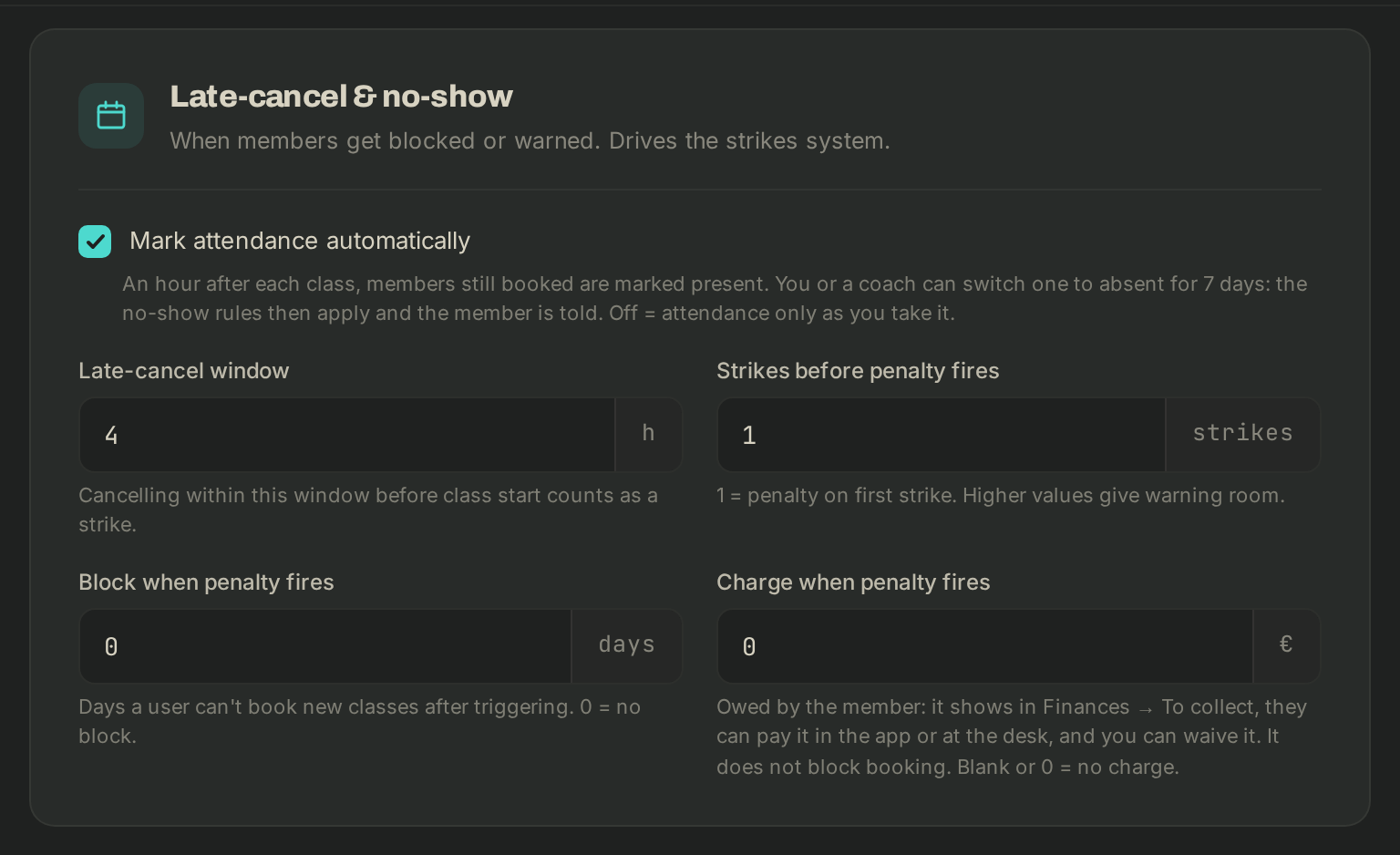
Late-cancel & no-show
- Mark attendance automatically: an hour after each class, members still booked are marked present. You or a coach can switch one to absent for 7 days.
- Late-cancel window (hours): cancelling within this window before the start counts as a strike.
- Strikes before penalty fires: 1 = penalty on the first strike.
- Block when penalty fires (days): during this time the member can't book new classes. 0 = no block.
- Charge when penalty fires: an amount the member owes, which they can pay in the app or at the desk, and which you can waive. It does not block booking. Blank or 0 = no charge.
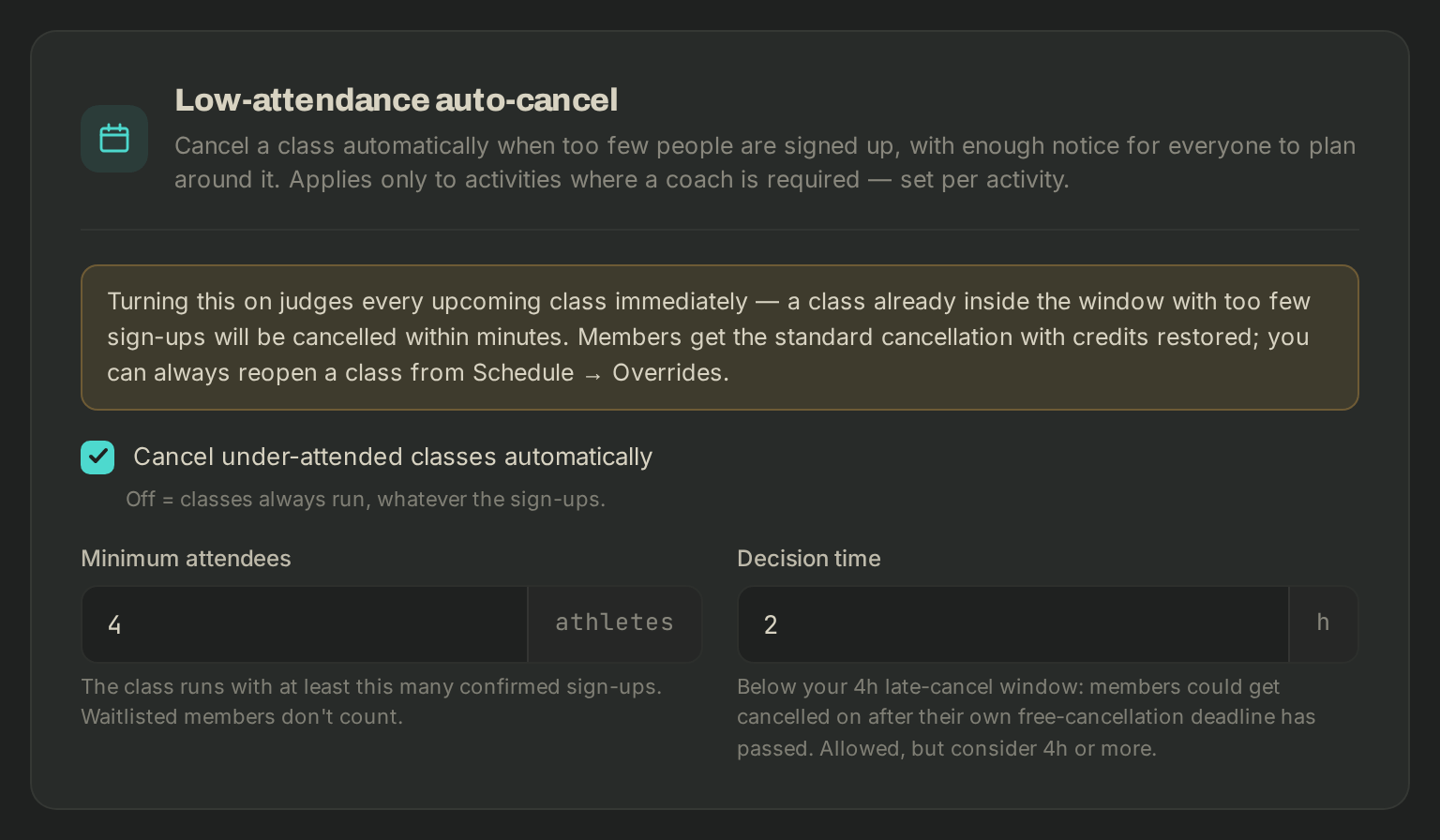
Low-attendance auto-cancel
- Tick Cancel under-attended classes automatically.
- Minimum attendees: the class runs with at least this many confirmed sign-ups. Waitlisted members don't count.
- Decision time (hours): the class is judged once its start is this close. Keep it at least as long as your late-cancel window.
It only applies to activities whose Coaching is set to Always. Members get the standard cancellation and their credits back.
Memberships
Grace period (days): after a failed renewal, the member can still book for this long before the membership lapses.
Click Save changes at the bottom of the page, or Discard to go back.
If it goes wrong
- A class was cancelled by mistake: see Close a day or cancel a class.
- The Business tab is missing: it is for owners only.
- Anything else: write to Wodloop support, support@wodloop.com.