Plans and packs
Create the membership plans and class packs your members buy.
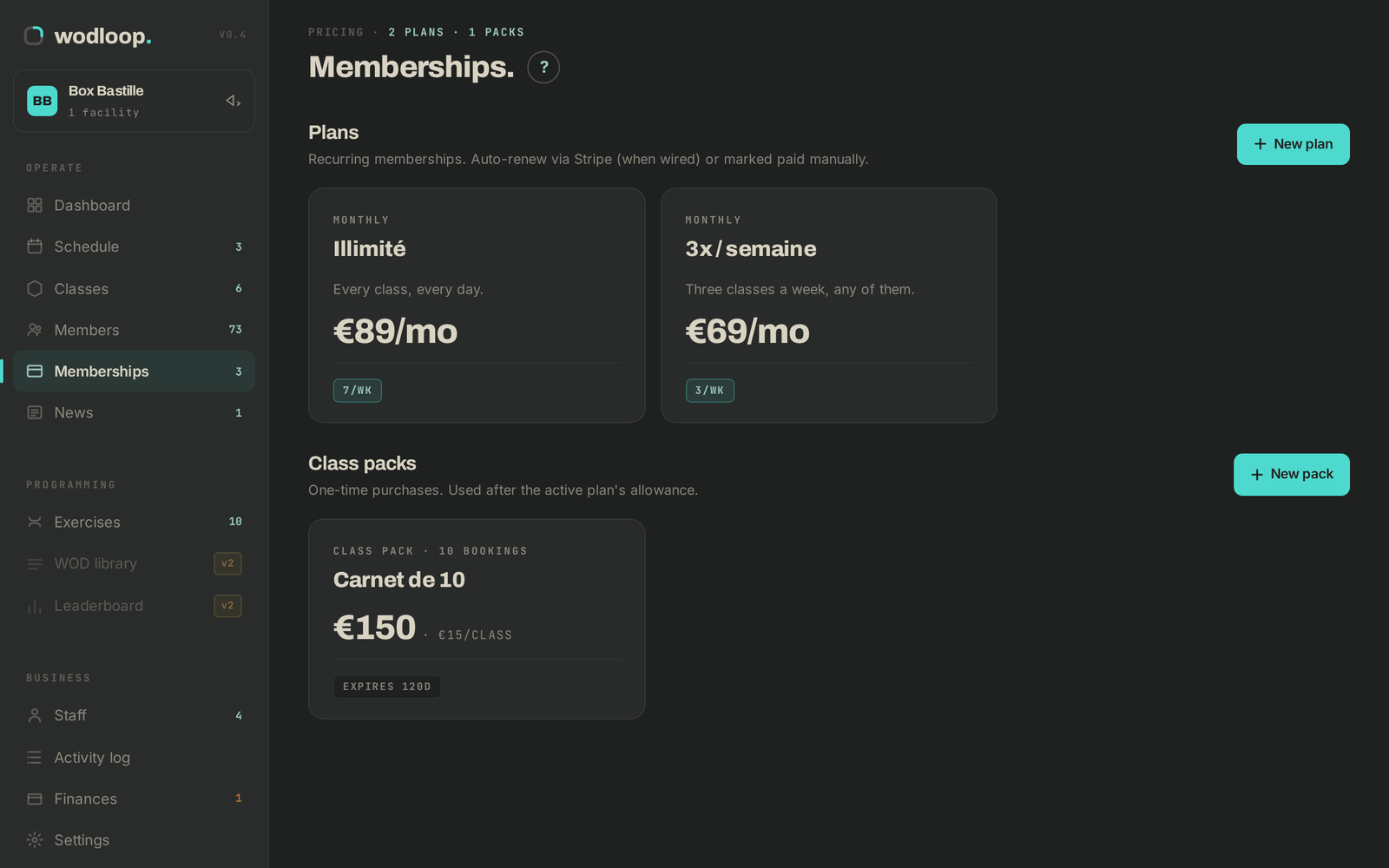
Your members need a plan or a pack to book. A plan is a recurring membership (monthly or yearly). A pack is a bundle of classes paid up front, used on top of a plan or on its own.
Create a plan
- In the sidebar, open Memberships, then click New plan.
- Plan basics: Plan name, Short description and, if you like, a Highlight tag.
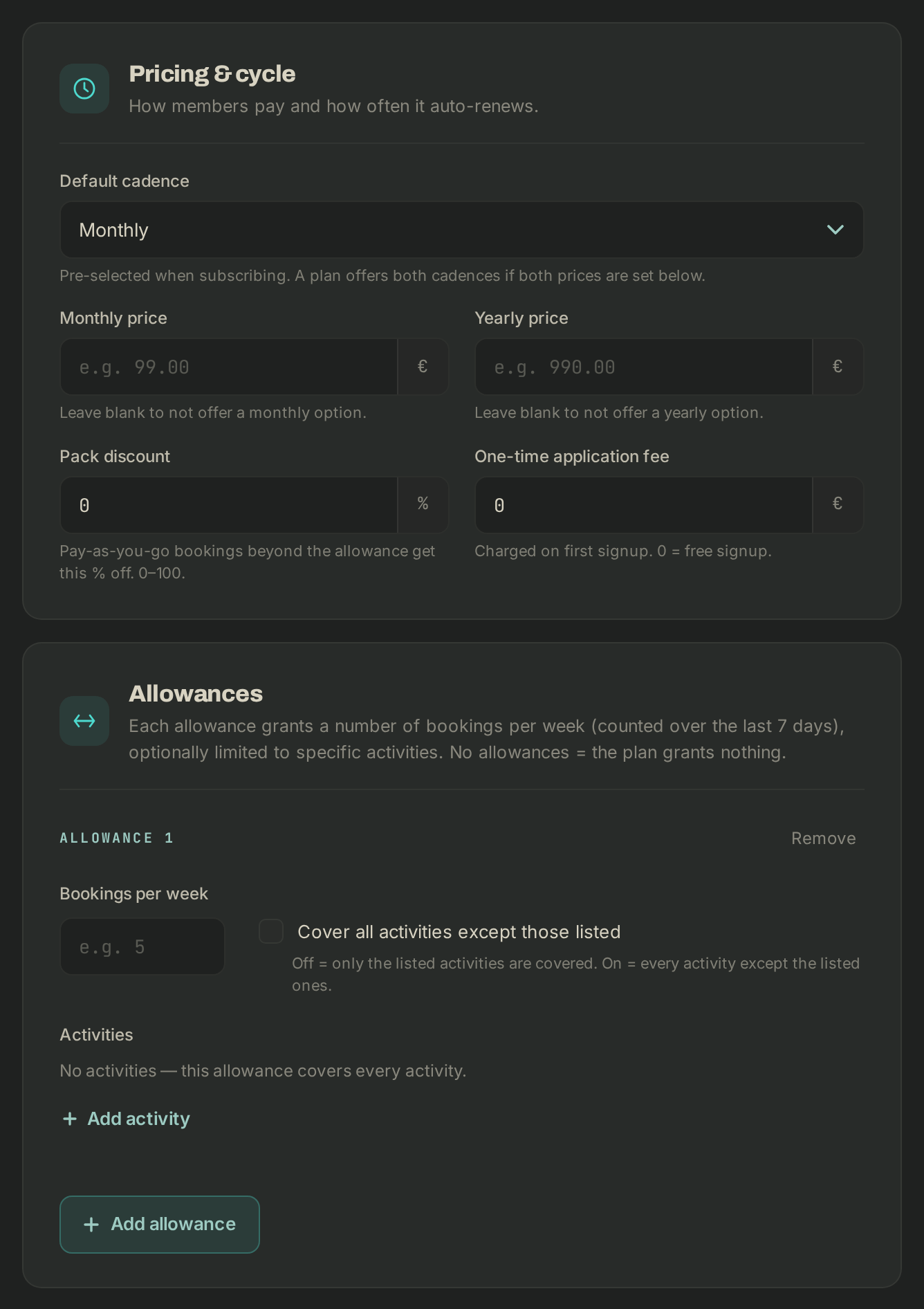
- Pricing & cycle: a Monthly price, a Yearly price, or both (leave one blank not to offer it). Also set the Default cadence, the Pack discount and the One-time application fee.
- Allowances: click Add allowance and set the Bookings per week, for every activity or only some. With no allowance, the plan grants no bookings.
- If you have several boxes, Also valid at lets members book elsewhere on the same plan.
- Leave Active (visible to members) ticked, then click Save plan.
Create a pack
- On Memberships, click New pack.
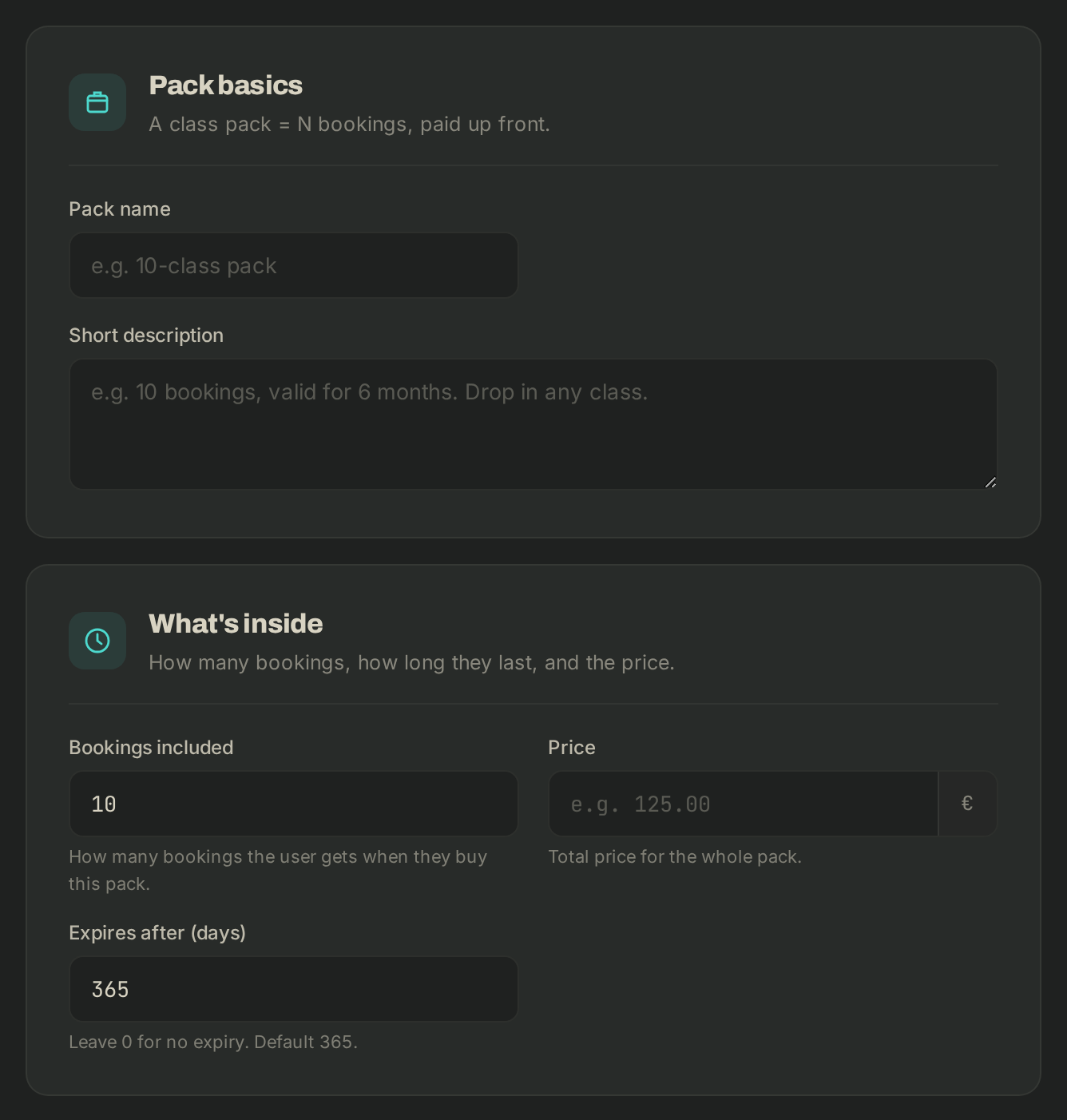
- Fill in the Pack name, Bookings included, Price (for the whole pack) and Expires after (days) (0 = no expiry).
- Under Activities, restrict the pack to some activities if needed.
- Click Save pack.
The Coupons section, at the bottom of the page, creates discounts you apply when you add a membership to a member.
If it goes wrong
- Editing a plan also changes what members already on it pay. To change the terms for new members only, click Duplicate and edit the copy.
- You can't delete a plan or pack that is already in use: untick Active (visible to members) to take it out of the app.
- Anything else: support@wodloop.com.