Post box news
Tell your members about a new timetable, a competition or a closure, in the app and by notification.
News posts show in your members' app. You can publish one right away, schedule it, or keep it as a draft.
Post news
- Open News in the menu, then click Post news.
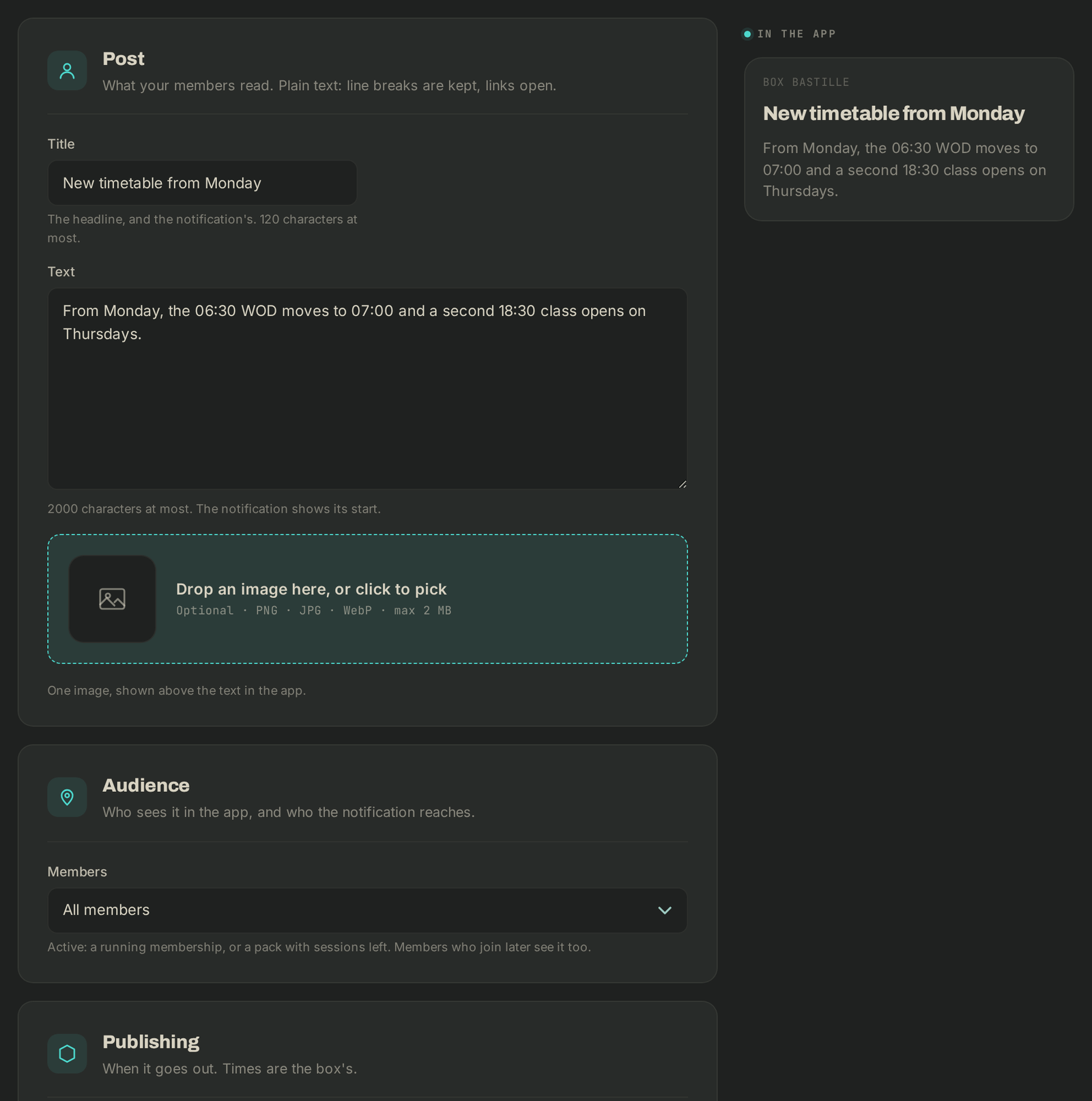
- Under Post, fill in the Title (120 characters at most; it is also the notification's title) and the Text (2000 characters at most). Add an image if you like (PNG, JPG or WebP, max 2 MB).
- Under Audience, pick Members: All members or Active members (a running membership, or a pack with sessions left). If you run several boxes, the Boxes field lets you target Every box.
- Under Publishing, choose when it Goes out: Now, when you save, At a date and time (box time), or Not yet: keep it as a draft.
- Leave Send a notification ticked to alert your members (push and inbox).
- Optional, under Pin & expiry: Pinned until keeps it first in the list and on the app's home screen; Expires on hides it after that day.
- Click the button at the bottom: Publish, Schedule or Save draft.
The In the app preview shows what your members will see.
Edit or take down
In the list, click Edit. Once published, your edits show in the app, but nobody is notified again. Archive takes the post down: members no longer see it.
If it goes wrong
- A member gets no notification: members can mute gym news in the app. Only those who asked for it get an email.
- "The image couldn't be stored": the post was saved, try adding the image again in a moment.
- Anything else: write to Wodloop support, support@wodloop.com.