Take attendance
Mark who came to a class, and correct attendance afterwards.
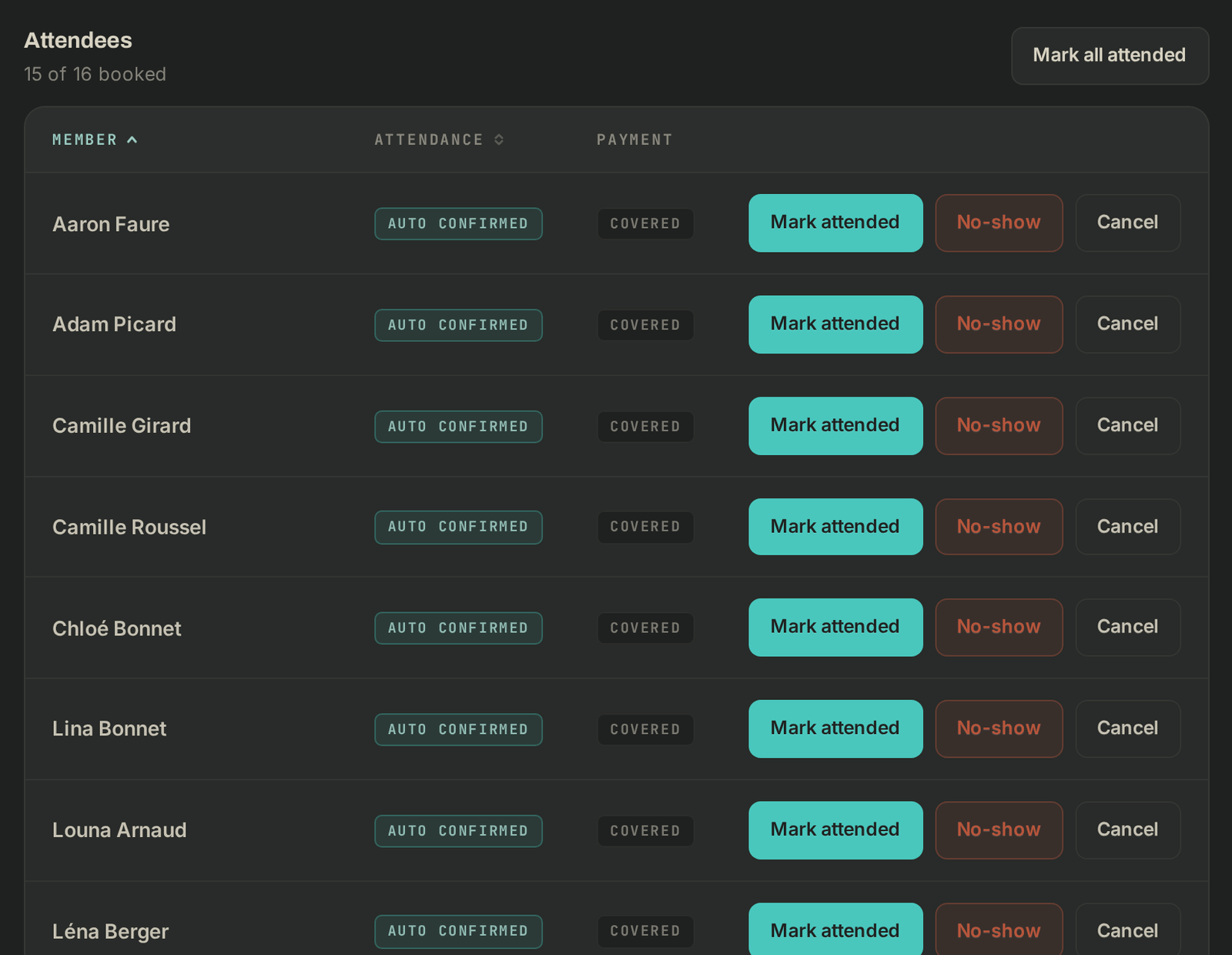
Attendance is taken on a class's roster. Most members who book do come, so Wodloop marks them present on its own about an hour after the class ends. You only need to correct the ones who didn't show up.
Take attendance during the class
- On Schedule (or under Today's classes on the dashboard), click the class. The Class roster opens.
- Under Attendees, click Mark attended for each member who came, or Mark all attended for every confirmed member at once.
- For a member who didn't come, click No-show. Your box's no-show rules apply (a strike, and a penalty when the threshold is reached).
- A member turns up without a booking: use Book a member into this class, pick them, then Book.
Correct after the class
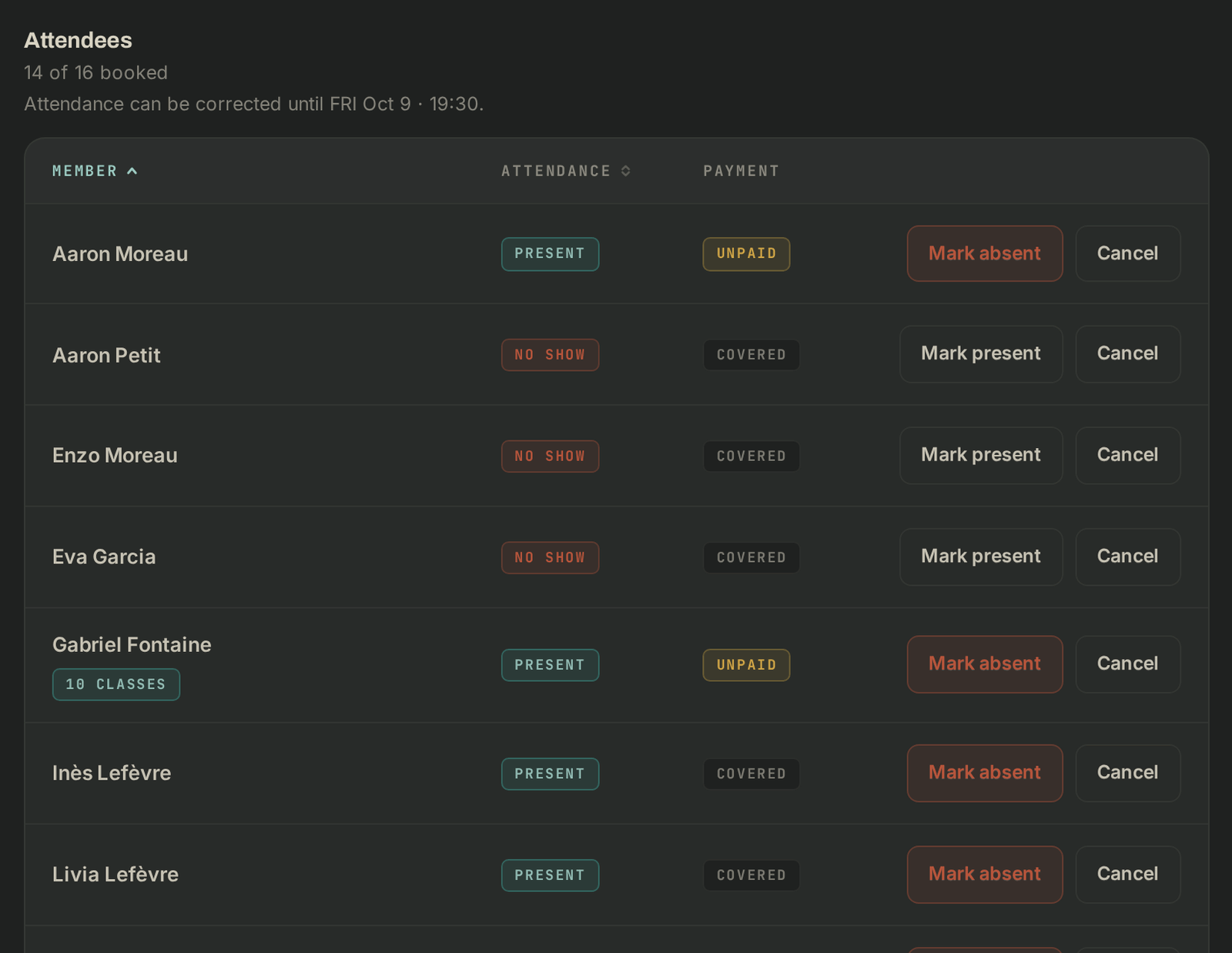
After the class, a line reads "Attendance can be corrected until…": you have 7 days after the class ends to correct it.
- Mark absent switches a member marked present to absent. They are notified.
- Mark present switches an absent member to present and takes back the strike given for that absence.
After that, the line reads "Attendance locked since…" and nothing can change.
If it goes wrong
- The buttons don't show: you need the attendance permission. Ask the owner.
- An absence already triggered a penalty: switching back to present doesn't undo it. Handle it from the member's page.
- Anything else: support@wodloop.com.