Write the WOD and cycles
Publish your box's programming, as a multi-week cycle or a day note, so members read it when they book.
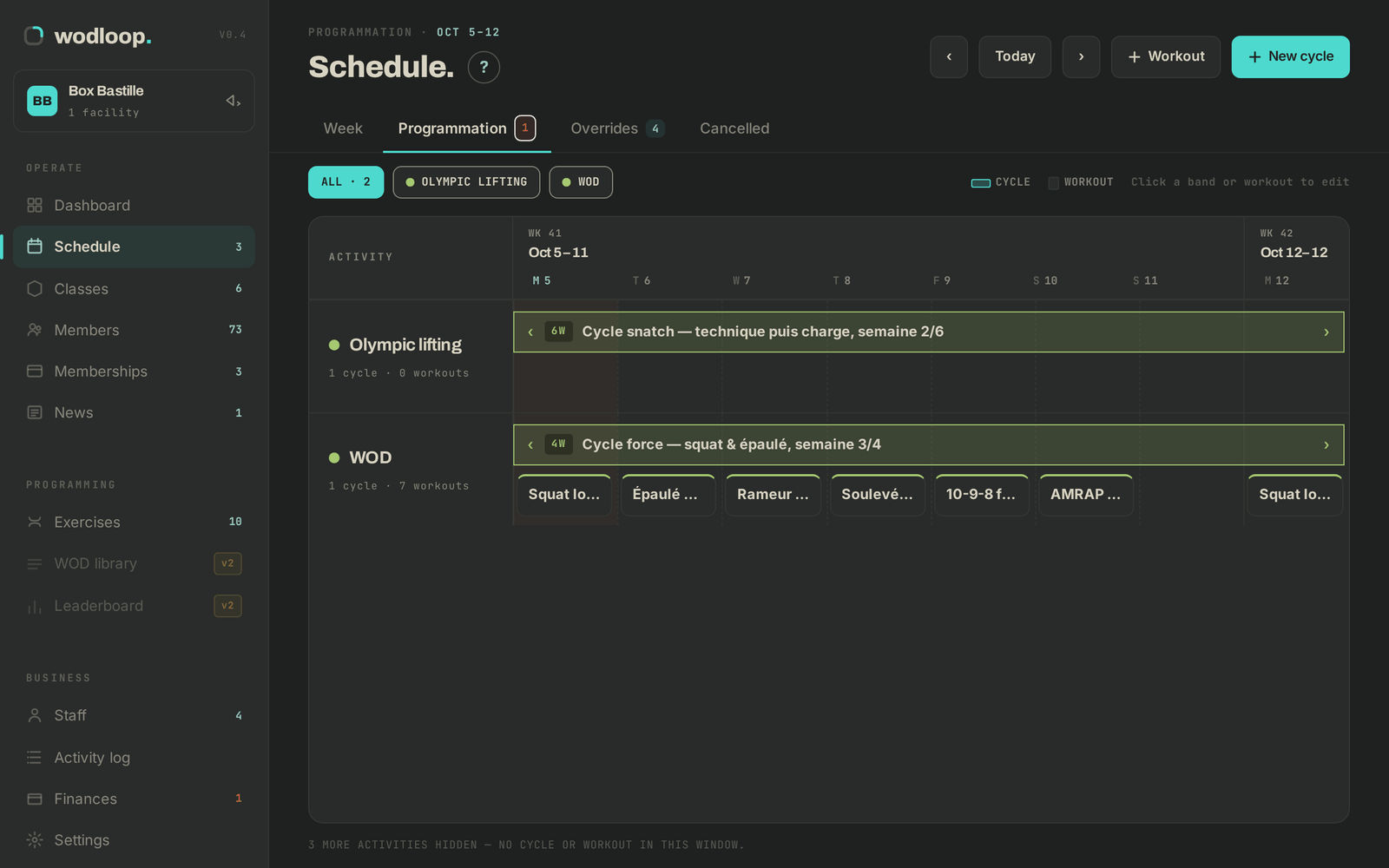
Programming attaches to an activity. A cycle covers a period (a six-week strength block, say); a day note targets one date: it is the day's WOD. Both show on your members' booking screen.
Write a cycle or a WOD
- Open Schedule, then the Programmation tab. Move around with ‹, Today and ›.
- Click New cycle for a period, or Workout for a single date.
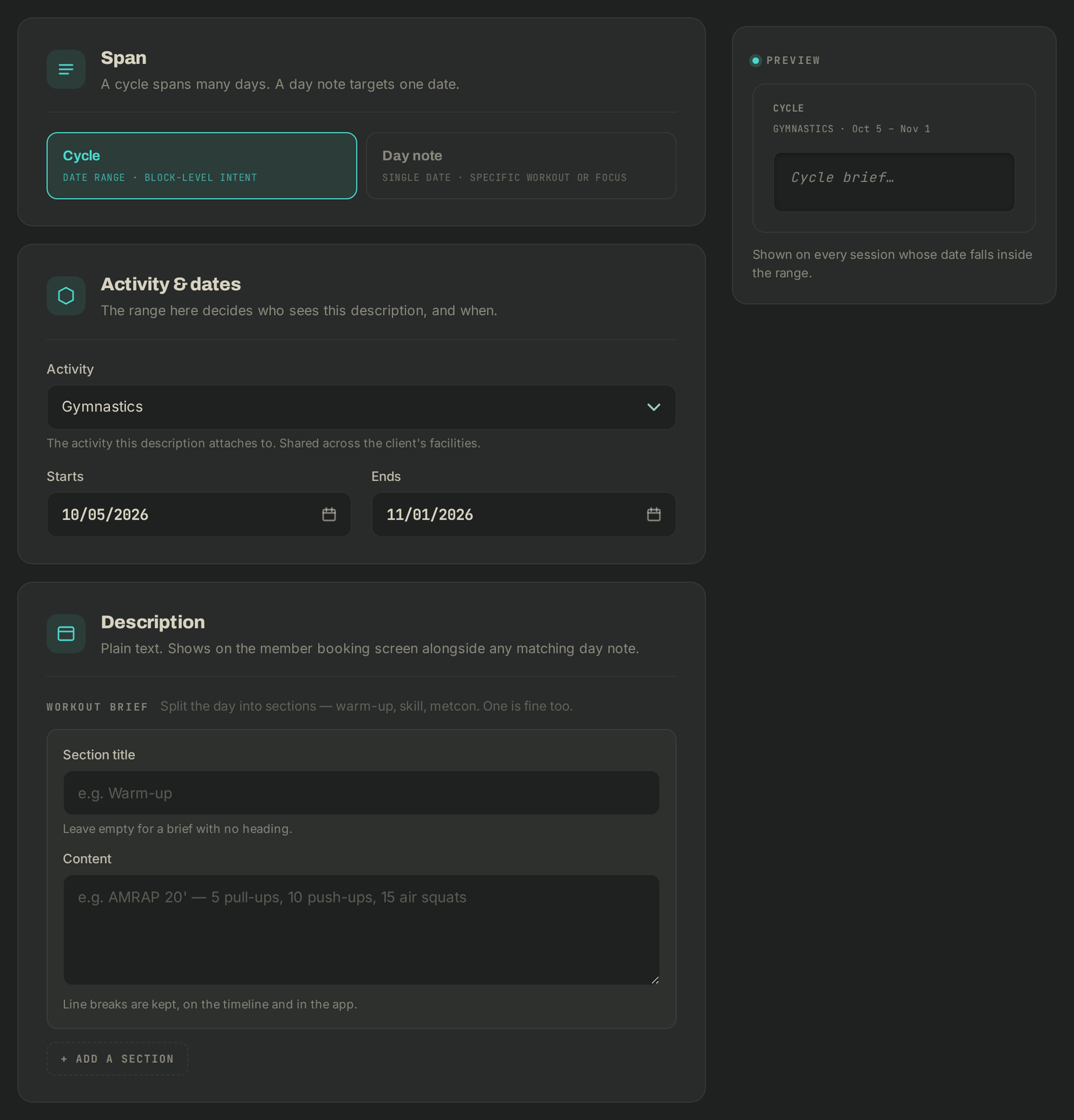
- Under Activity & dates, pick the Activity, then Starts (and Ends for a cycle).
- Under Workout brief, fill in the Section title (optional) and the Content. Add more parts with + add a section: warm-up, skill, metcon. Line breaks are kept.
- Click Save programmation.
To edit, click a band (cycle) or a workout on the timeline. The Delete button, top right, removes the programming: members stop seeing it.
From the Week view of the Schedule, each session's WOD icon also lets you add or edit the day note without leaving the grid.
Exercises
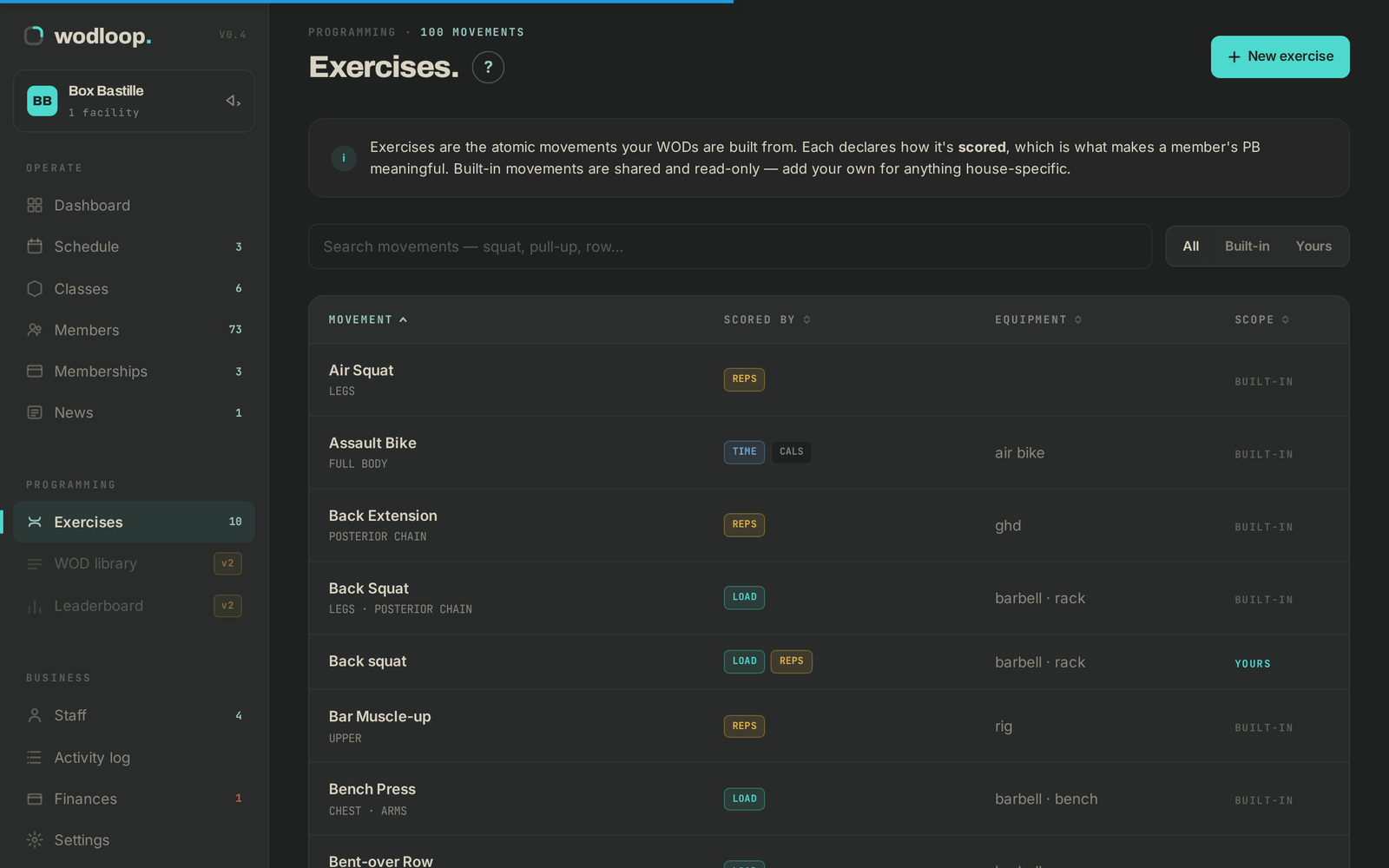
The Exercises menu lists the movements your members log records on. BUILT-IN movements are read-only: click Duplicate to edit to make your own copy. New exercise creates a movement specific to your box; only the Name is required, and Scored by — pick all that apply decides what a member can set a record in.
If it goes wrong
- No activities yet.: create an activity first (see Create your classes and schedule).
- The Programmation tab is missing: your access does not include programming, ask the owner.
- Anything else: write to Wodloop support, support@wodloop.com.