Delete your account
Close your Wodloop account from the app or the website, and what happens next.
You can close your account at any time. It is permanent: there is no way back. If you only want to leave the app on this phone, tap Sign out instead.
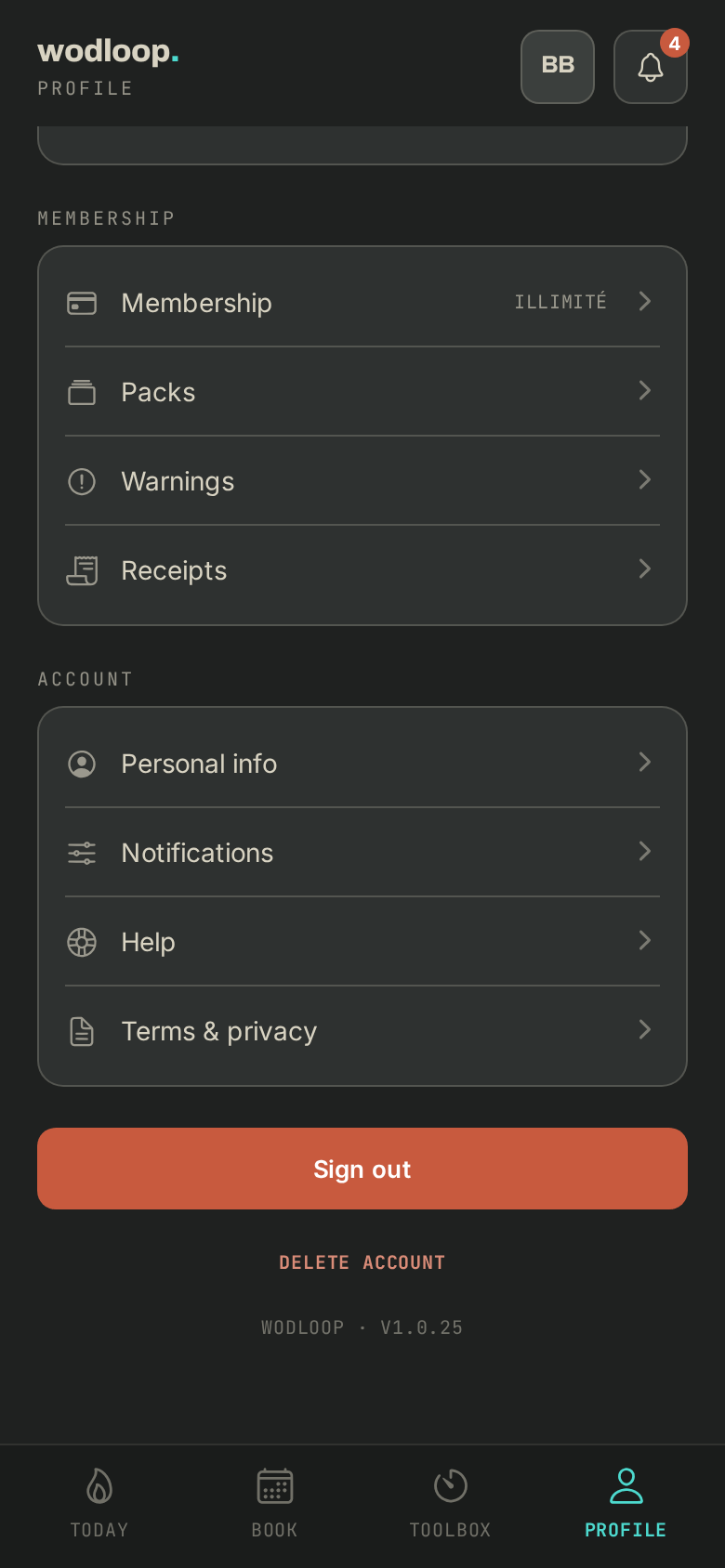
From the app
- Open the Profile tab and scroll to the very bottom.
- Tap Delete account.
- Confirm with Delete account. You are signed out straight away.
Without the app
Go to wodloop.com/account-deletion, enter your email and open the link we send you to confirm.
What happens
- Your name, email, phone and date of birth are erased.
- Your upcoming bookings are cancelled and your memberships end right away: nothing renews.
- Your SEPA direct debit mandates are revoked: nothing more is taken.
- Your personal programs and the notes on your results are deleted, and you no longer get notifications.
- What the law or your box's records require us to keep (invoices, payments) stays, attached to an anonymous identifier. A period already owed is still owed to your box.
If it goes wrong
- A question about a payment or a running membership: contact your box. Its details are on its page: tap your box's logo at the top of the screen (with several boxes, About this gym), under Contact.
- Couldn't delete account, or you also coach at a box: write to Wodloop support, support@wodloop.com.