Several legal structures
When your boxes are run by different companies, each collects into its own Stripe account, appears on its own receipts and receives its own mandates.
A legal structure is the company that collects for a box: its Stripe account, its registered name and SIRET on receipts, its creditor identifier for SEPA direct debit. At first, all your boxes share one. If some are run by another company, give them theirs before you collect anything: once a box has payments, mandates or memberships, its structure no longer changes.
Give a box another company
- Select the box, then open Settings, Business tab. The Legal structure section is at the top of the tab once you have two facilities.
- Click Change structure.
- Pick one of your structures, or A new structure and give it a name: the one you'll see in Wodloop.
- Read what the change means, then click Change structure.
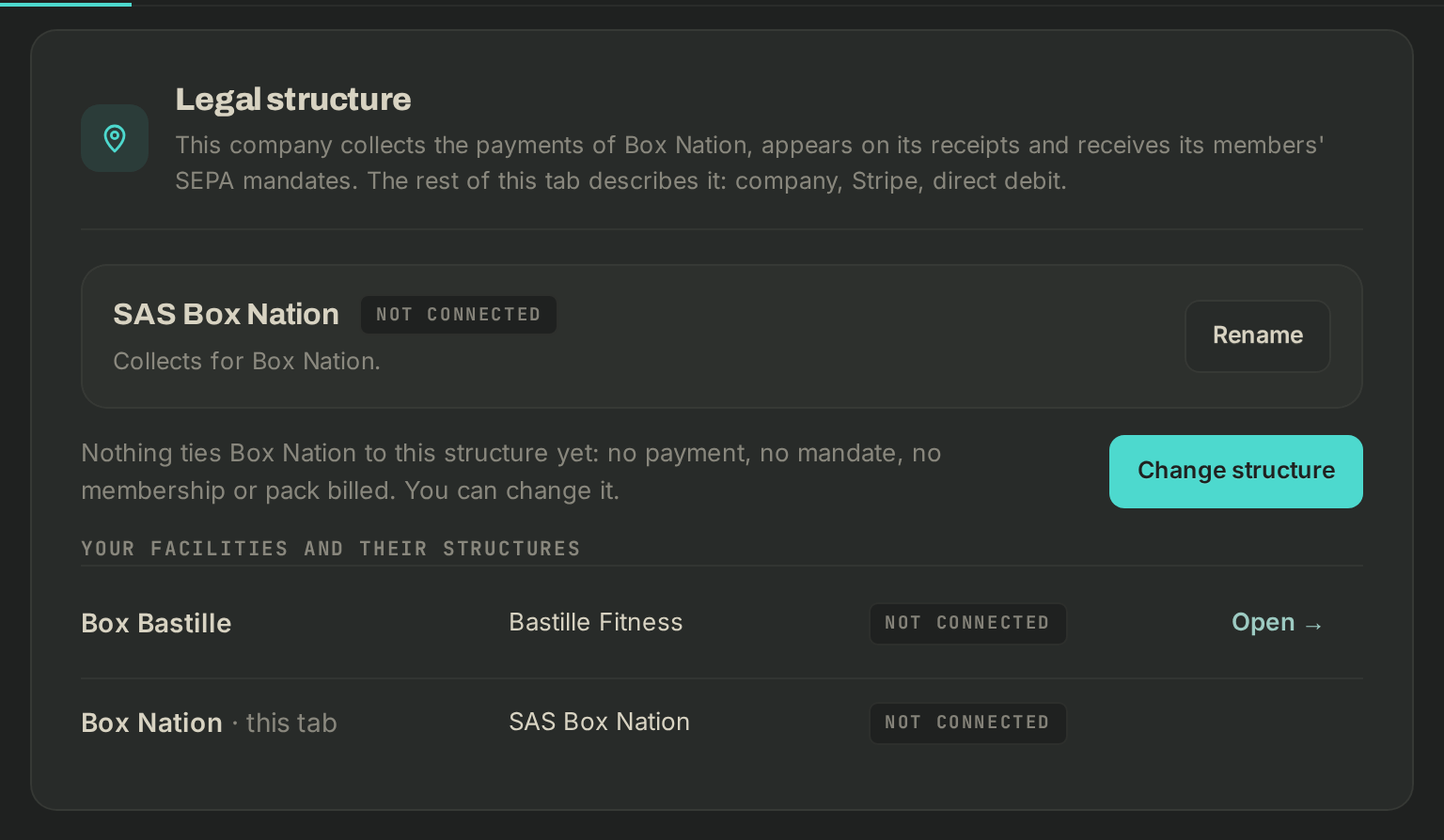
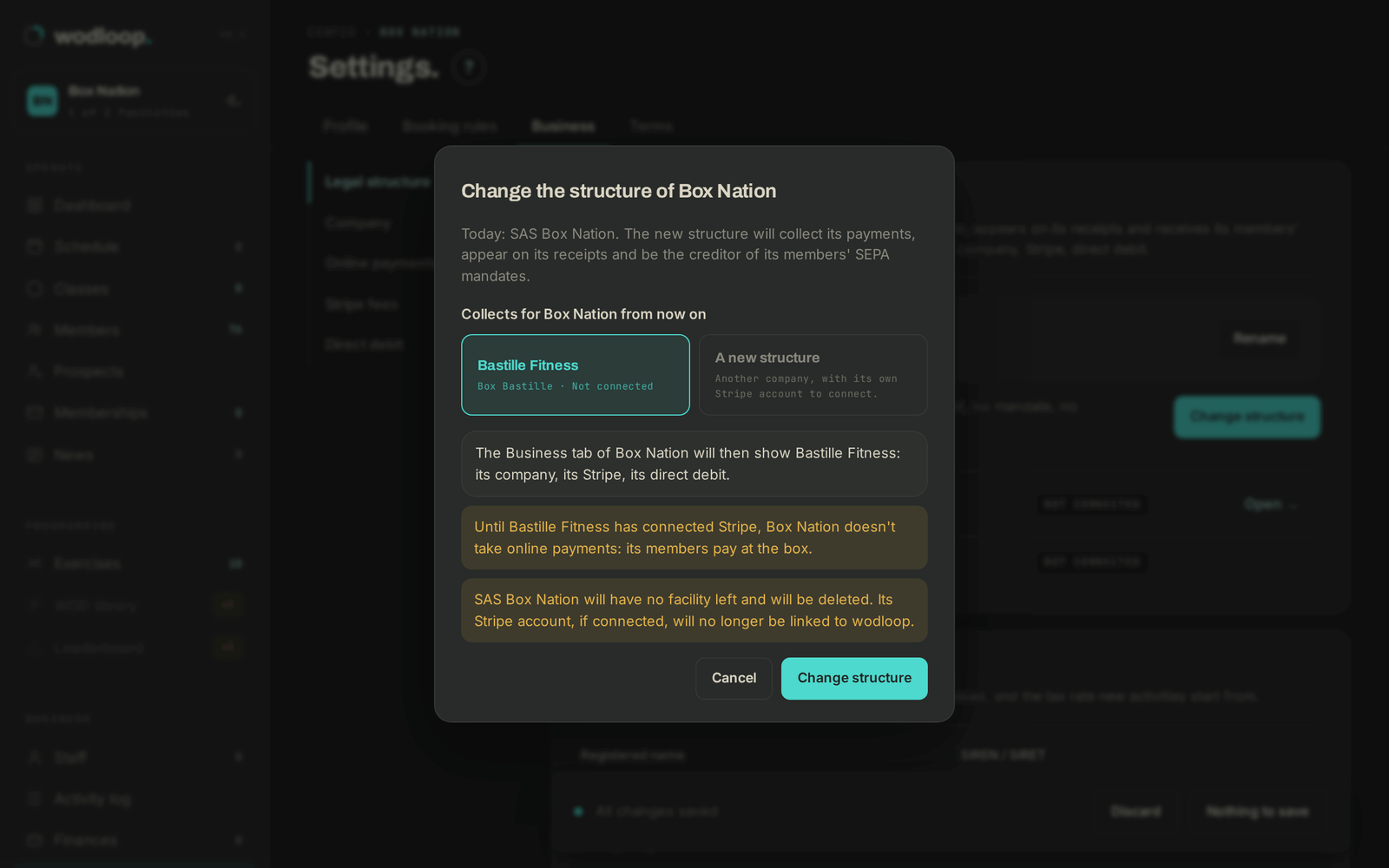
The change applies at once, with no Save changes needed: unsaved edits on the tab are lost. The tab then shows the new structure. Fill in its Company, connect its Stripe account under Online payments and set up its Direct debit. Until its Stripe is connected, the box doesn't take online payments: its members pay at the box.
If the change leaves a structure with no box, Wodloop deletes it. Its Stripe account, if connected, is no longer linked to Wodloop. Two exceptions: your account's first structure, and a structure some mandates still name. They stay among your structures, and you can give them a box again later.
Add a box with its company
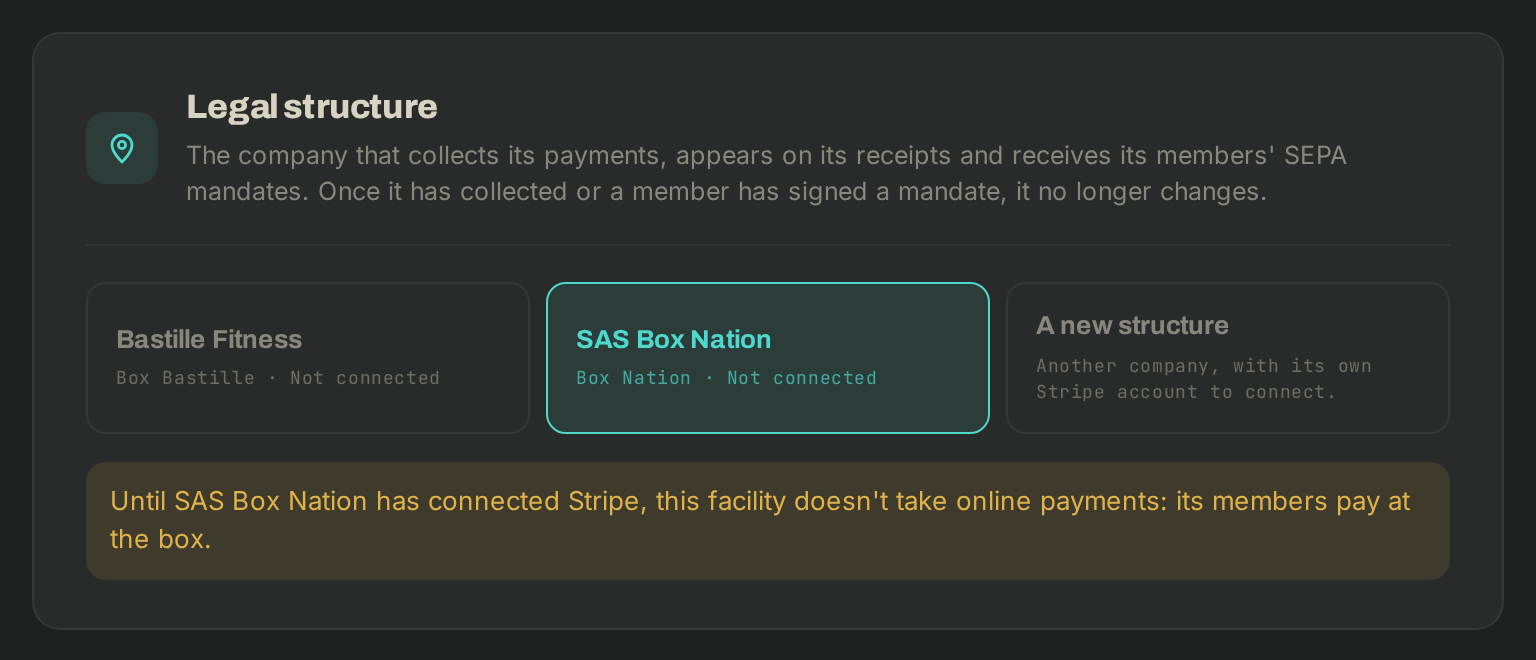
In the box switcher, click + Add a facility. The Legal structure section offers the company of the box you're in, your other structures, or A new structure. If you have only one, click Another company? to name a new one.
What changes for your members
- Each box collects into its structure's Stripe account, and its receipts carry that structure's registered name and SIRET.
- Until a structure has a SIRET, its receipts carry no company number (except your account's first structure).
- A member paying by direct debit at two boxes of different companies signs two mandates, one per company.
- A plan can stay valid at a box of another company. The money stays with the company that sold it. What one owes the other, you settle between the companies, outside Wodloop.
Rename a structure
In the Legal structure section, Rename changes the name you see in Wodloop. To change the registered name printed on receipts, edit the Company section.
If something doesn't work
- No Legal structure section: you have only one facility.
- No Change structure button: the box already has payments, mandates or memberships (the section says which). Only the gym's owner can change the structure.
- Anything else: write to Wodloop support, support@wodloop.com.